
By Your Name • Updated: October 27, 20
User Experience on Trading Platforms: Which One Suits You?
By Your Name • Updated: October 27, 2025 • Read time: ~18–22 min
User Experience on Trading Platforms is the single most underrated factor when choosing where to trade. This guide explains UX differences across platforms, why they matter for profitability and stress, and how to pick the trading platform that best suits your workflow, devices, and goals in 2025.On this page:
- Why User Experience on Trading Platforms Matters
- Types of Trading Platforms
- Key UX Elements to Evaluate
- Mobile vs Desktop: Which UX Fits You?
- Case Studies: UX That Wins
- How to Choose the Best UX Platform
- Step-by-step Setup and First Trades
- FAQs
Why User Experience on Trading Platforms Matters
When evaluating trading platforms you often compare fees, security, and available assets. But the usability — the workflows, responsiveness, and clarity of information — determines how quickly you can react to the market. A great user experience reduces mistakes, lowers cognitive load, speeds up order entry and risk management, and ultimately helps you trade more consistently.
Good UX also reduces the learning curve for beginners and increases retention for power users by providing shortcuts, hotkeys, and automation. As trading becomes faster and more data-driven in 2025, the difference between a clumsy and a refined interface often translates into measurable performance differences.
Types of Platforms: Where User Experience on Trading Platforms Differs Most
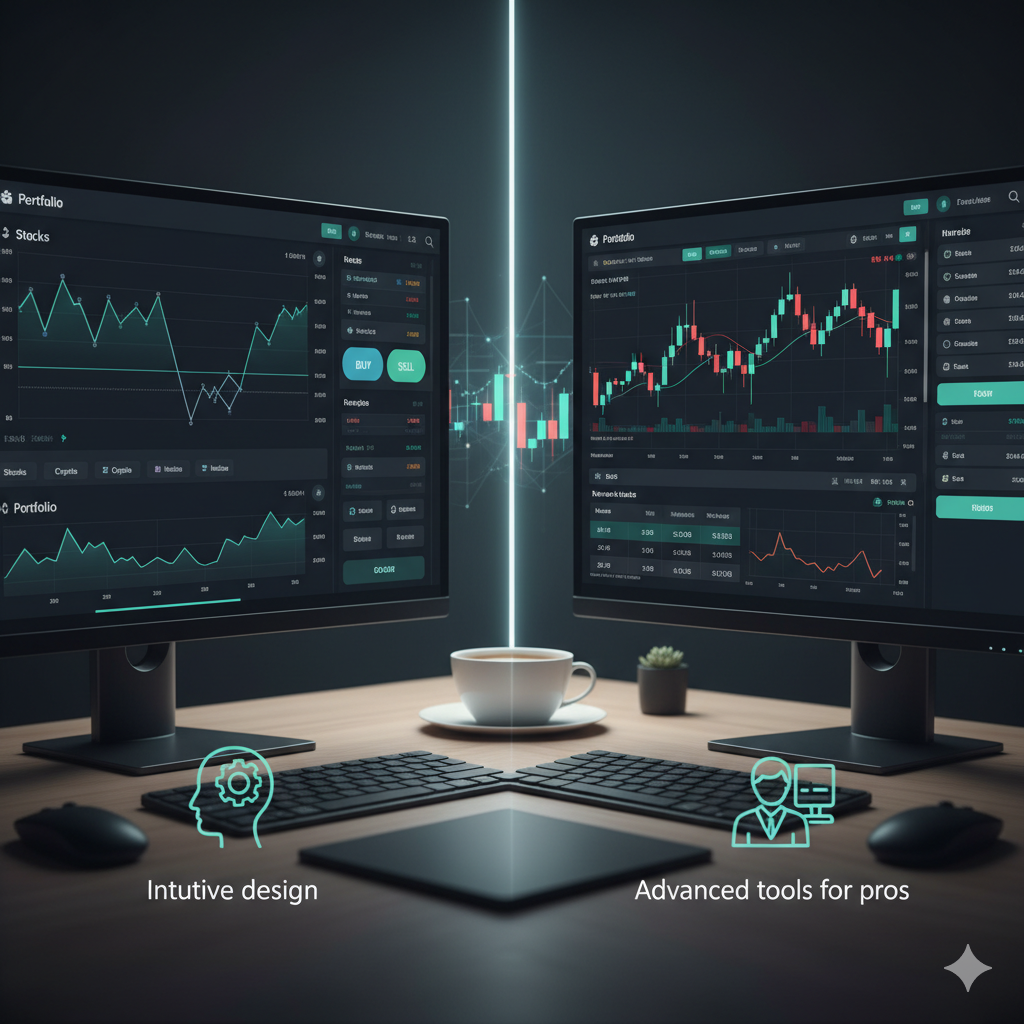
Trading platforms come in several forms — retail brokers’ web apps, professional desktop software, exchange-native UIs, and mobile-first apps. Each type aims at different users and therefore has distinct UX priorities:
- Broker web apps (e.g., Robinhood-style): simplicity, easy onboarding, educational flows.
- Full-service brokers / broker terminals (e.g., Interactive Brokers): deep functionality, customizable layouts, steep learning curve.
- Exchange UIs (crypto exchanges like Binance, Coinbase Pro): throughput, order types, wallet integrations.
- Professional trading terminals (e.g., MetaTrader, Thinkorswim): complex charting, scripting, algorithmic hooks.
- Mobile-first apps (e.g., eToro, Webull mobile): frictionless onboarding and trading-on-the-go.
Each platform type presents a different user experience challenge: ease versus control. Your choice should match whether you value simplicity or control.
Key User Experience on Trading Platforms Elements to Evaluate
To judge UX, look beyond looks. These elements are where UX impacts outcomes:
Information clarity
Can you read the order book, price ladder, and P&L at a glance? Platforms that surface critical metrics (realized/unrealized P&L, margin, exposure) reduce errors.
Speed and latency
Fast order routing and low interface lag are essential for active traders. UX includes not only visuals but also the responsiveness of every click.
Order entry flow
Is order placement one click or several menus deep? Can you pre-set stops and targets efficiently? Advanced UIs offer order tickets with templates, hotkeys, and confirmation safeguards.
Customization
Layouts, chart presets, and multi-monitor support let you build a workflow. The best UX enables customization without breaking the default simplicity for novices.
Error prevention & safety
Does the platform warn you about margin calls, large positions, or invalid orders? Clear confirmations and rollback options are part of resilient UX.
Discoverability & onboarding
Contextual help, guided tours, and copy that explains complex features reduce churn and help users adopt powerful tools faster.
Mobile vs Desktop: Which User Experience on Trading Platforms Suits You?
Mobile and desktop experiences can be wildly different. Choose based on your trading style:
Mobile-first UX
Designed for quick trades, alerts, and portfolio checks. Mobile apps must prioritize ergonomics: large tappable targets, simplified charts, and concise order tickets. Perfect for swing traders and investors who rarely need advanced charting.
Desktop-first UX
Rich charting, multi-window layouts, deep analytics, scripting and backtesting all belong to desktop environments. Day traders and those running automated strategies will find desktop UX indispensable.
Cross-device continuity
Best platforms sync layout, alerts, and templates across devices so you can act on the same signals whether on a laptop or phone. Check that watchlists, templates, and active orders are visible and controllable from both mobile and desktop.
Case Studies: Strong User Experience on Trading Platforms in Practice
Below are short case studies comparing UX approaches that succeed.
Case study 1 — A beginner-focused broker
Platform X (a popular retail broker) focuses on simplicity: warm onboarding, big CTA buttons for buy/sell, and educational micro-courses. The UX reduces cognitive overload and helps beginners place their first trades within minutes. The trade-off is fewer advanced order types.
Case study 2 — A pro-grade terminal
Platform Y (a professional terminal) offers highly-customizable layouts, hotkeys, and native scripting. Advanced order types and the ability to attach conditional rules let professionals automate complex strategies. Novices can be overwhelmed unless they use pre-built layouts.
Case study 3 — Exchange UX for crypto traders
Platform Z (major crypto exchange) combines an order book, perpetual swaps, and wallet management. The UX emphasizes throughput: fast order placement, visible maker/taker fees, and clear wallet flows. Security prompts and withdrawal whitelists reduce errors and social engineering risk.
How to Choose the Best User Experience on Trading Platforms for You
Follow this checklist when testing platforms:
- Define your trading style: investor, swing trader, day trader, scalper, or algo trader.
- Test mobile and desktop: run the same workflows on both devices to check consistency.
- Use demo mode: practice order entry, stop management, and closing positions.
- Evaluate execution speed: place small live trades and measure latency.
- Check error safety: try to place invalid orders and observe guardrails.
- Assess customization: can you build a layout that matches your workflow?
- Support and docs: does the platform give quick answers and contextual help?
Make a short test plan: 1) Open account, 2) Fund small amount, 3) Place 5 different order types, 4) Test stop-out, 5) Withdraw small amount. Use the results to compare candidate platforms.
Step-by-step Setup: Getting Started with the Right User Experience on Trading Platforms
This quick setup guide ensures you focus on UX-critical steps.
1. Open an account and complete KYC
Provide accurate information and enable two-factor authentication straight away. Good UX: platforms that guide you visually through KYC speed up verification and reduce mistakes.
2. Configure your workspace
Choose a default layout (watchlist, chart, order ticket). Pin essential indicators and save the layout as a template.
3. Set alerts and notifications
Configure price alerts, margin warnings, and news alerts. Test push notifications on your phone to confirm they arrive promptly.
4. Practice in demo mode
Run through typical trade scenarios: market order, limit order, stop loss, take profit, partial fills. Evaluate how quickly you can enter and modify orders.
5. Execute a small live trade
Move a small amount of capital and repeat your demo workflow. Check execution time, slippage, and confirmation clarity.
6. Create failure scenarios
Simulate connection loss, rapid price swings, or accidental large orders to see how the platform handles recovery and warnings.
Advanced UX Features That Matter for Frequent Traders
Power users benefit from UX features that elevate speed and precision:
- Hotkeys and quick order shortcuts — reduce clicks and muscle memory improves speed.
- Basket orders — execute multiple assets in a single action for hedging or rebalancing.
- Conditional / OCO orders — attach complex logic to orders to automate risk management.
- Scripting and strategy builders — allow algorithmic testing and deployment inside the UI.
- Multi-account and portfolio view — see multiple accounts and consolidated P&L at a glance.
Accessibility and Inclusive User Experience on Trading Platforms
Accessible UX benefits everyone. Consider platforms that:
- Support screen readers and keyboard navigation.
- Offer high-contrast themes and large-font options.
- Provide translations and localizations for non-English speakers.
- Design with reduced-motion settings for users sensitive to animation.
Inclusive design improves retention and trust — it’s also a sign of a mature product team.
Security UX: Making Safety Usable
Security workflows must be user-friendly to be adopted. Good security UX includes:
- Clear guidance for setting up 2FA and recovery keys.
- Simple steps for whitelisting withdrawal addresses and reviewing device activity.
- Contextual warnings for risky actions (e.g., using margin, high leverage).
- Easy-to-find help and fraud-reporting flows.
Users often ignore complex security steps; platforms that integrate security into onboarding see higher adoption and fewer incidents.
Pricing, Fees and UX Transparency
Transparent pricing is a UX metric. A platform’s interface should clearly show fees: maker/taker, spreads, overnight financing, and withdrawal costs. Hidden fees are a UX anti-pattern — they harm trust and cause churn. Look for fee breakdowns in the order ticket and account statements.
FAQs: User Experience on Trading Platforms
Q: How do I pick between a simple app and a pro terminal?
A: Match features to tasks: if you rarely trade intraday, a simple app with low fees is fine. If you need complex routing, algos, and multi-leg orders, choose a pro terminal and invest time learning it.
Q: What UX features shorten the learning curve?
A: Guided onboarding, demo accounts, contextual tooltips, and pre-built layouts offer the fastest path to competence.
Q: Are mobile apps secure?
A: Yes — if you enable 2FA, keep your OS updated, and use secure networks. Prefer apps with biometric login and withdrawal whitelists.
Conclusion: Choose the Right User Experience on Trading Platforms for Your Goals
User Experience on Trading Platforms is not cosmetic — it determines how effectively you can act on market opportunities, manage risk, and scale strategies. Test multiple platforms, focus on workflows you use every day, and prioritize platforms that blend simplicity with the options you need. The right UX is the difference between frustrated trading and consistent, confident decision-making.
If you’d like, I can create a one-page comparison template or a shortlist of platforms tailored to your country and trading style. Which market (stocks, crypto, forex) do you trade most?
© 2025 Your Name. All rights reserved. This guide on User Experience on Trading Platforms was written to help traders choose the best platform that suits their needs.
User Experience on Trading Platforms: Which One Suits You
By Your Name • Updated: • Read time: ~18–22 min
User Experience on Trading Platforms is the single most underrated factor when choosing where to trade. This guide explains UX differences across platforms, why they matter for profitability and stress, and how to pick the trading platform that best suits your workflow, devices, and goals in 2025.
Why User Experience on Trading Platforms Matters
When evaluating trading platforms you often compare fees, security, and available assets. But the usability — the workflows, responsiveness, and clarity of information — determines how quickly you can react to the market. A great user experience reduces mistakes, lowers cognitive load, speeds up order entry and risk management, and ultimately helps you trade more consistently.
Good UX also reduces the learning curve for beginners and increases retention for power users by providing shortcuts, hotkeys, and automation. As trading becomes faster and more data-driven in 2025, the difference between a clumsy and a refined interface often translates into measurable performance differences.
Types of Platforms: Where User Experience on Trading Platforms Differs Most
Trading platforms come in several forms — retail brokers’ web apps, professional desktop software, exchange-native UIs, and mobile-first apps. Each type aims at different users and therefore has distinct UX priorities:
- Broker web apps (e.g., Robinhood-style): simplicity, easy onboarding, educational flows.
- Full-service brokers / broker terminals (e.g., Interactive Brokers): deep functionality, customizable layouts, steep learning curve.
- Exchange UIs (crypto exchanges like Binance, Coinbase Pro): throughput, order types, wallet integrations.
- Professional trading terminals (e.g., MetaTrader, Thinkorswim): complex charting, scripting, algorithmic hooks.
- Mobile-first apps (e.g., eToro, Webull mobile): frictionless onboarding and trading-on-the-go.
Each platform type presents a different user experience challenge: ease versus control. Your choice should match whether you value simplicity or control.
Key User Experience on Trading Platforms Elements to Evaluate
To judge UX, look beyond looks. These elements are where UX impacts outcomes:
Information clarity
Can you read the order book, price ladder, and P&L at a glance? Platforms that surface critical metrics (realized/unrealized P&L, margin, exposure) reduce errors.
Speed and latency
Fast order routing and low interface lag are essential for active traders. UX includes not only visuals but also the responsiveness of every click.
Order entry flow
Is order placement one click or several menus deep? Can you pre-set stops and targets efficiently? Advanced UIs offer order tickets with templates, hotkeys, and confirmation safeguards.
Customization
Layouts, chart presets, and multi-monitor support let you build a workflow. The best UX enables customization without breaking the default simplicity for novices.
Error prevention & safety
Does the platform warn you about margin calls, large positions, or invalid orders? Clear confirmations and rollback options are part of resilient UX.
Discoverability & onboarding
Contextual help, guided tours, and copy that explains complex features reduce churn and help users adopt powerful tools faster.
Mobile vs Desktop: Which User Experience on Trading Platforms Suits You?
Mobile and desktop experiences can be wildly different. Choose based on your trading style:
Mobile-first UX
Designed for quick trades, alerts, and portfolio checks. Mobile apps must prioritize ergonomics: large tappable targets, simplified charts, and concise order tickets. Perfect for swing traders and investors who rarely need advanced charting.
Desktop-first UX
Rich charting, multi-window layouts, deep analytics, scripting and backtesting all belong to desktop environments. Day traders and those running automated strategies will find desktop UX indispensable.
Cross-device continuity
Best platforms sync layout, alerts, and templates across devices so you can act on the same signals whether on a laptop or phone. Check that watchlists, templates, and active orders are visible and controllable from both mobile and desktop.
Case Studies: Strong User Experience on Trading Platforms in Practice
Below are short case studies comparing UX approaches that succeed.
Case study 1 — A beginner-focused broker
Platform X (a popular retail broker) focuses on simplicity: warm onboarding, big CTA buttons for buy/sell, and educational micro-courses. The UX reduces cognitive overload and helps beginners place their first trades within minutes. The trade-off is fewer advanced order types.
Case study 2 — A pro-grade terminal
Platform Y (a professional terminal) offers highly-customizable layouts, hotkeys, and native scripting. Advanced order types and the ability to attach conditional rules let professionals automate complex strategies. Novices can be overwhelmed unless they use pre-built layouts.
Case study 3 — Exchange UX for crypto traders
Platform Z (major crypto exchange) combines an order book, perpetual swaps, and wallet management. The UX emphasizes throughput: fast order placement, visible maker/taker fees, and clear wallet flows. Security prompts and withdrawal whitelists reduce errors and social engineering risk.
How to Choose the Best User Experience on Trading Platforms for You
Follow this checklist when testing platforms:
- Define your trading style: investor, swing trader, day trader, scalper, or algo trader.
- Test mobile and desktop: run the same workflows on both devices to check consistency.
- Use demo mode: practice order entry, stop management, and closing positions.
- Evaluate execution speed: place small live trades and measure latency.
- Check error safety: try to place invalid orders and observe guardrails.
- Assess customization: can you build a layout that matches your workflow?
- Support and docs: does the platform give quick answers and contextual help?
Make a short test plan: 1) Open account, 2) Fund small amount, 3) Place 5 different order types, 4) Test stop-out, 5) Withdraw small amount. Use the results to compare candidate platforms.
Step-by-step Setup: Getting Started with the Right User Experience on Trading Platforms
This quick setup guide ensures you focus on UX-critical steps.
1. Open an account and complete KYC
Provide accurate information and enable two-factor authentication straight away. Good UX: platforms that guide you visually through KYC speed up verification and reduce mistakes.
2. Configure your workspace
Choose a default layout (watchlist, chart, order ticket). Pin essential indicators and save the layout as a template.
3. Set alerts and notifications
Configure price alerts, margin warnings, and news alerts. Test push notifications on your phone to confirm they arrive promptly.
4. Practice in demo mode
Run through typical trade scenarios: market order, limit order, stop loss, take profit, partial fills. Evaluate how quickly you can enter and modify orders.
5. Execute a small live trade
Move a small amount of capital and repeat your demo workflow. Check execution time, slippage, and confirmation clarity.
6. Create failure scenarios
Simulate connection loss, rapid price swings, or accidental large orders to see how the platform handles recovery and warnings.
Advanced UX Features That Matter for Frequent Traders
Power users benefit from UX features that elevate speed and precision:
- Hotkeys and quick order shortcuts — reduce clicks and muscle memory improves speed.
- Basket orders — execute multiple assets in a single action for hedging or rebalancing.
- Conditional / OCO orders — attach complex logic to orders to automate risk management.
- Scripting and strategy builders — allow algorithmic testing and deployment inside the UI.
- Multi-account and portfolio view — see multiple accounts and consolidated P&L at a glance.
Accessibility and Inclusive User Experience on Trading Platforms
Accessible UX benefits everyone. Consider platforms that:
- Support screen readers and keyboard navigation.
- Offer high-contrast themes and large-font options.
- Provide translations and localizations for non-English speakers.
- Design with reduced-motion settings for users sensitive to animation.
Inclusive design improves retention and trust — it’s also a sign of a mature product team.
Security UX: Making Safety Usable
Security workflows must be user-friendly to be adopted. Good security UX includes:
- Clear guidance for setting up 2FA and recovery keys.
- Simple steps for whitelisting withdrawal addresses and reviewing device activity.
- Contextual warnings for risky actions (e.g., using margin, high leverage).
- Easy-to-find help and fraud-reporting flows.
Users often ignore complex security steps; platforms that integrate security into onboarding see higher adoption and fewer incidents.
Pricing, Fees and UX Transparency
Transparent pricing is a UX metric. A platform’s interface should clearly show fees: maker/taker, spreads, overnight financing, and withdrawal costs. Hidden fees are a UX anti-pattern — they harm trust and cause churn. Look for fee breakdowns in the order ticket and account statements.
FAQs: User Experience on Trading Platforms
Q: How do I pick between a simple app and a pro terminal?
A: Match features to tasks: if you rarely trade intraday, a simple app with low fees is fine. If you need complex routing, algos, and multi-leg orders, choose a pro terminal and invest time learning it.
Q: What UX features shorten the learning curve?
A: Guided onboarding, demo accounts, contextual tooltips, and pre-built layouts offer the fastest path to competence.
Q: Are mobile apps secure?
A: Yes — if you enable 2FA, keep your OS updated, and use secure networks. Prefer apps with biometric login and withdrawal whitelists.
Conclusion: Choose the Right User Experience on Trading Platforms for Your Goals
User Experience on Trading Platforms is not cosmetic — it determines how effectively you can act on market opportunities, manage risk, and scale strategies. Test multiple platforms, focus on workflows you use every day, and prioritize platforms that blend simplicity with the options you need. The right UX is the difference between frustrated trading and consistent, confident decision-making.
If you’d like, I can create a one-page comparison template or a shortlist of platforms tailored to your country and trading style. Which market (stocks, crypto, forex) do you trade most?